Calculator
A plain online calculator: add, subtract, multiply and divide, with percentages, square root and memory. Your sums go on a paper roll next to it, and you can use your keyboard too.
This tool applies Dutch rules. Text translated from Dutch; the Dutch version prevails. Open the Dutch version
A number is stored in memory
Paper roll
Your calculations appear here, one below the other. Click a result to keep calculating with it.
How the calculator works
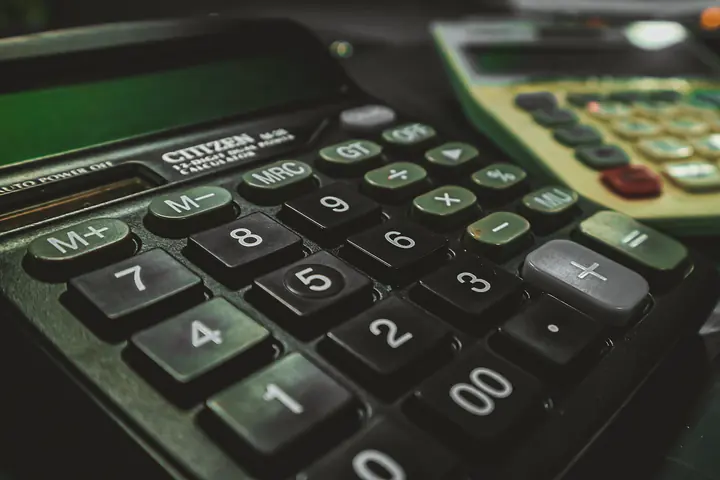
A calculator as you know it: type a number, choose an operation and press =. Every sum goes on the paper roll next to the calculator, so you can check what you worked out. Click a result on the roll to keep calculating with it.
The calculator works from left to right, like an ordinary calculator. For 2 + 3 × 4 it first works out 2 + 3 = 5 and then 5 × 4 = 20. Both steps go on the paper roll.
Per cent works as on most calculators. With plus and minus, the calculator takes the percentage of the first number: 100 + 10 % = 110 and 100 − 10 % = 90. With times and divide, the percentage counts as hundredths: 200 × 10 % = 20 and 50 ÷ 200 % = 25. Press = again and the calculator repeats the last operation: 2 + 3 = = gives 5 and then 8.
The display shows 15 digits. The calculator works exactly with decimals, so 0.1 + 0.2 is exactly 0.3. When dividing and for the square root, it rounds to the last digit that fits in the display. Behind the scenes it keeps 25 digits, so 1 ÷ 3 × 3 gives 1 again.
Using your keyboard
You can do everything with your keyboard too: with the number keys above the letters or on the number pad.
- 0–9
- Digits
- . ,
- Decimal point; a comma works as a point too
- + -
- Plus and minus
- * x
- Times
- / :
- Divided by
- Enter =
- Result; pressing it again repeats the last operation
- %
- Percentage
- @
- Square root
- F9
- Plus or minus: makes the number negative or positive again
- Backspace
- Delete the last digit
- Delete
- CE: clear the number you are typing
- Esc
- C: clear everything except the memory and the paper roll
Frequently asked questions
How do you work out a percentage on a calculator?
Type the amount, then + or −, then the percentage, and press % and =. 80 + 21 % = 96.8: that is 80 with 21 per cent VAT (btw) added. If you only want to know what 21 per cent of 80 is, work out 80 × 21 % =. That is 16.8.
Why does 2 + 3 × 4 give 20 here and not 14?
An ordinary calculator works out each operation straight away, from left to right. After 2 + 3 the display shows 5, and 5 × 4 is 20. By the rules of arithmetic, multiplication goes first, and then it is 14. If that is what you want, type 3 × 4 first and then + 2 =.
What is the difference between C and CE?
CE clears only the number you are typing; the sum before it stays. C clears the whole sum. The memory and the paper roll stay with both. The arrow in the display clears only the last digit.
How does the memory work?
M+ adds the number in the display to the memory and M− subtracts it. MR brings the memory back into the display and MC clears the memory. When there is a number in the memory, you see an M in the display. That makes it easy to add up a few intermediate results.
Why is 0.1 + 0.2 exactly 0.3 here?
Many programs calculate internally with binary numbers and end up with 0.30000000000000004. This calculator works with decimal numbers, as you do on paper. That is why 0.1 + 0.2 is exactly 0.3.
Can I use the calculator with my keyboard?
Yes. Type the digits and + − * / and press Enter for the result. The full stop and the comma both work as the decimal point, so a Dutch keyboard layout works too. Backspace clears the last digit and Esc the whole sum. The full list is under Using your keyboard.
How do you work out a square root?
Type the number and press √. The square root of 2 is 1.4142135623731. A negative number has no square root; you then see a message in the display.
Are my sums stored anywhere?
No. The calculator works in your browser and does not send your sums to our server. The paper roll and the memory are gone when you close or reload the page.
What this tool leaves out
- Multiplication and division do not go first: the calculator works from left to right, like an ordinary calculator.
- The display shows at most 15 digits. A result of 1,000,000,000,000,000 or more shows Number too large; a very small number shows as 0.
- The paper roll and the memory are gone when you close or reload the page.
Checks and privacy
The calculator works in your browser. We do not send your calculations to our server or keep them anywhere; the paper roll is gone when you close or reload the page.
Changes
- : First version in English for the Netherlands.
Last reviewed: · How we build and check our tools
More tools
- Fraction CalculatorAdd, subtract, multiply or divide fractions, or simplify one fraction. With mixed numbers, and the result also as a decimal and a percentage.
- Discount Calculator NetherlandsWork out what you pay in euros after a discount (korting) and how much you save, or work back from the sale price to the original price. Includes how discounts work in Dutch shops.
- Percentage Calculator NetherlandsWork out what X per cent of a number is, what percentage one number is of another, or by what percentage a value rises or falls.